Phone Settings That Protect Your Privacy
Privacy.
Your smartphone holds your photos, passwords, banking apps, messages, and personal information. Yet many people never enable the security features already built into their device.
Frank Costa, President, Nexgen Protection Services
Take a few minutes today to strengthen your digital privacy by checking these five settings:
✅ Enable Multi-Factor Authentication (MFA)
✅ Turn on Find My Device/iPhone
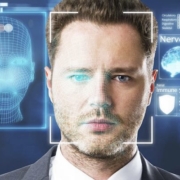
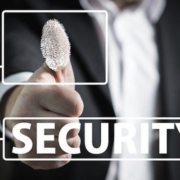
✅ Use biometric security (Face ID or Fingerprint)
✅ Review app permissions regularly
✅ Enable automatic software updates
These simple steps can significantly reduce the risk of unauthorized access if your phone is lost, stolen, or targeted by cybercriminals.
Cybersecurity isn’t just about protecting businesses—it’s about protecting your personal life.
Sources:
National Institute of Standards and Technology. (2024). Digital identity guidelines (NIST Special Publication 800-63B).https://pages.nist.gov/800-63-4/sp800-63b.html
#CyberSecurity #MobileSecurity #Privacy #DataProtection #InformationSecurity #DigitalSafety #CyberAwareness #TechTips #OnlineSafety #SecurityFirst